Boonpoint
Honest Dispersed Camping
Find legal, free camping on public land — federal legality data, water/dump/propane/gym finder, and verified-stay reviews. No fake five-stars.
The smartest way to track your gig income, mileage, and tax deductions. Built for DoorDash, Uber, Instacart, Lyft, and every gig platform.
Every trip valued at the IRS rate on its date — automatically.
No accounting degree required. GigLedger handles the hard stuff so you can focus on earning.
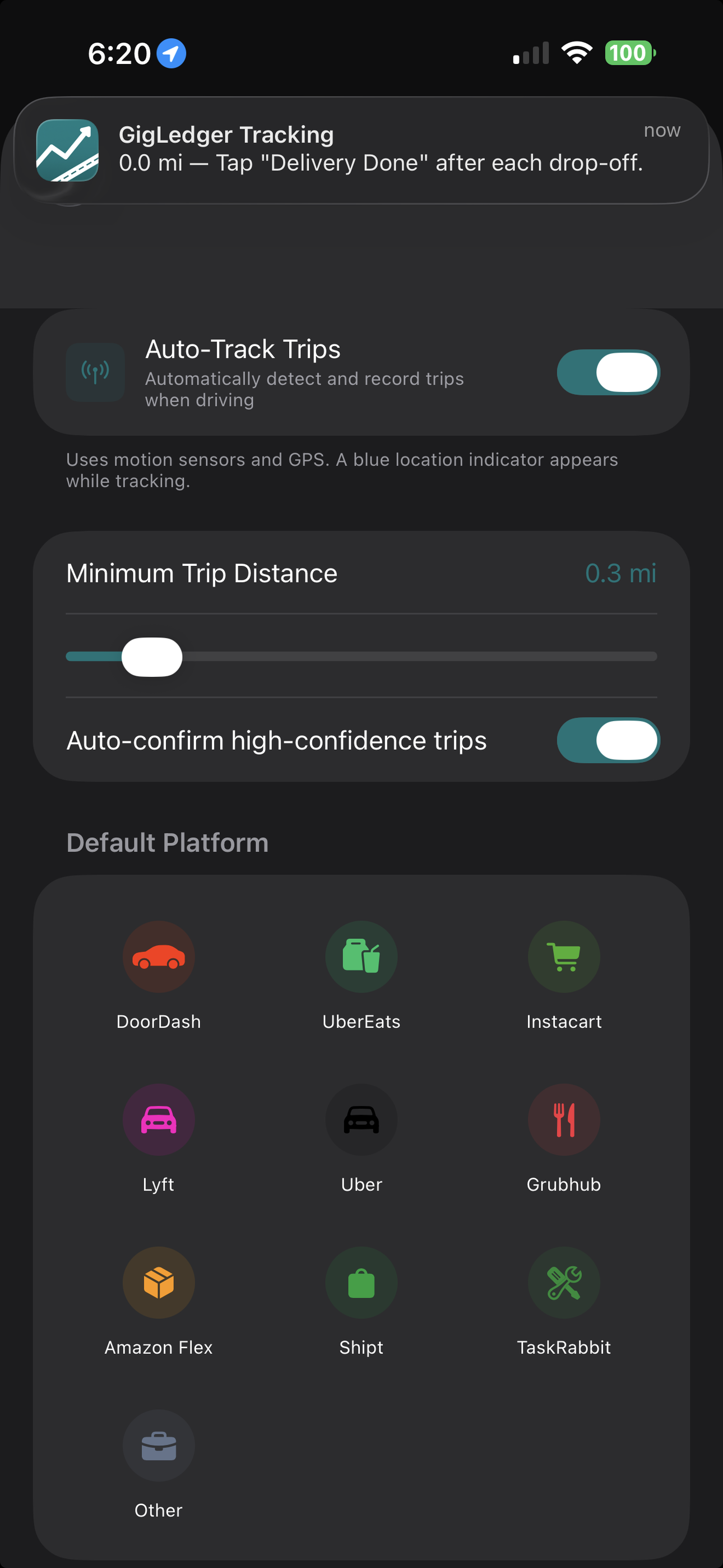
Just drive. GigLedger's GPS auto-tracks every mile in the background and calculates your IRS deduction in real time.
Screenshot your DoorDash, Uber Eats, or Instacart earnings. OCR extracts base pay, tips, deliveries, and time automatically.
Export a Schedule C preview, quarterly estimates, and a complete tax packet. Hand it to your CPA or import into TurboTax.
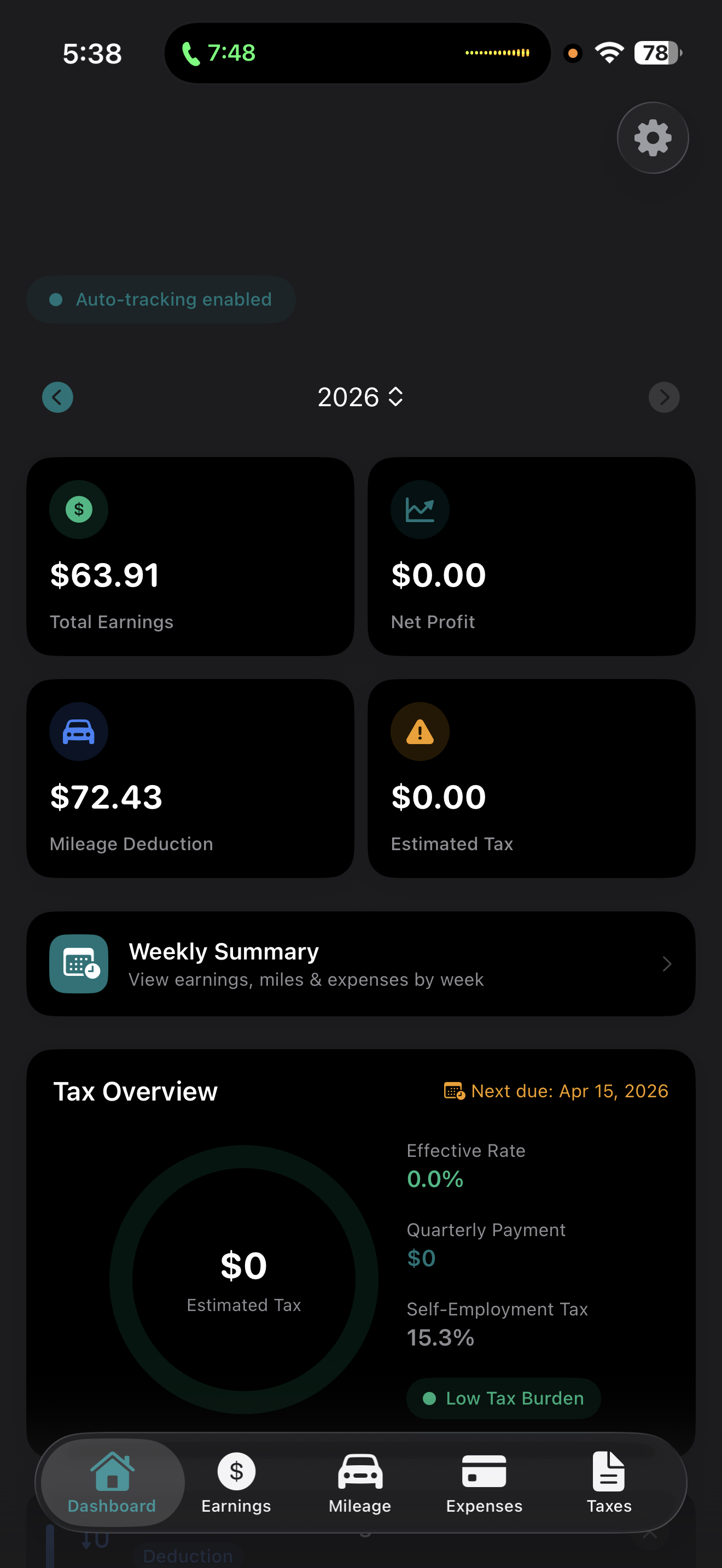
GigLedger puts your earnings, mileage, expenses, and tax estimates all in one place.
Tap Start shift when you go online and End shift when you’re done — from the app, Control Center, the Lock Screen or Siri. Each delivery still saves as its own business trip with its own map, and a shift summary points out any GPS gaps so you can fix them.
Running DoorDash and Uber Eats together? Set “Ask each time” and your Apple Watch shows a Done button for each app, so every delivery is tagged to the right one. Switch apps from the “Driving for” line, and your $/hour never counts the same hours twice.
Switching from MileIQ, Everlance, Stride, or a spreadsheet? Import your existing log in about a minute. Every trip is previewed first, valued at the IRS rate for its own date, personal trips stay out of your deduction, and anything already in GigLedger is skipped — so nothing counts twice. How to export from each app →
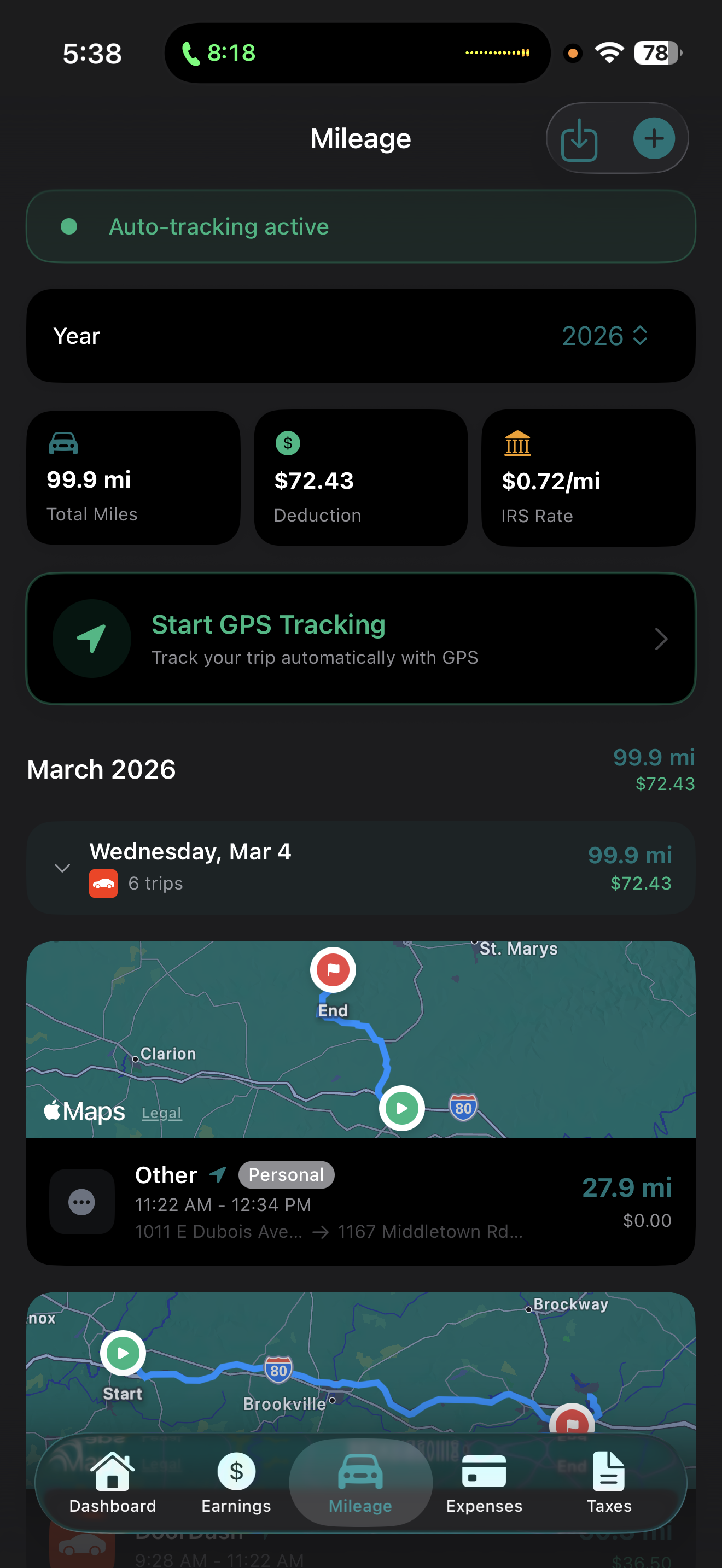
Automatic GPS trip detection with jitter filtering and signal-loss recovery. Every trip is valued at the IRS rate on its date — $0.725/mi Jan–Jun, $0.76/mi Jul–Dec 2026 — and commute miles are auto-split from delivery miles.
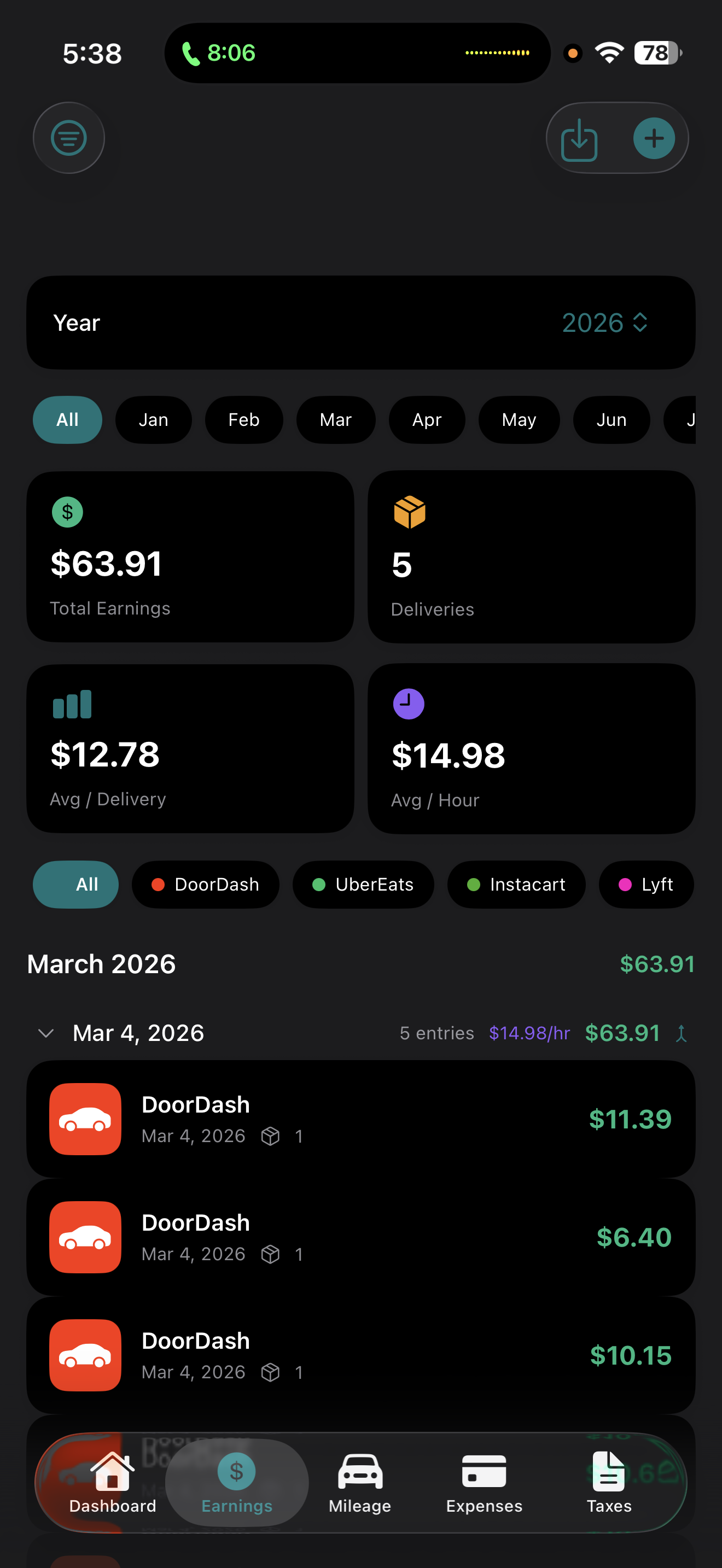
Log income from DoorDash, Uber, Instacart, Lyft, Grubhub, and any 1099 platform. Filter by platform and month with collapsible daily breakdowns.
Snap your earnings screen from DoorDash, Uber Eats, Instacart, Grubhub, Amazon Flex, or Spark Driver. OCR detects the platform and extracts pay, tips, deliveries, and time — and Uber Eats imports trip by trip from Earnings Activity.
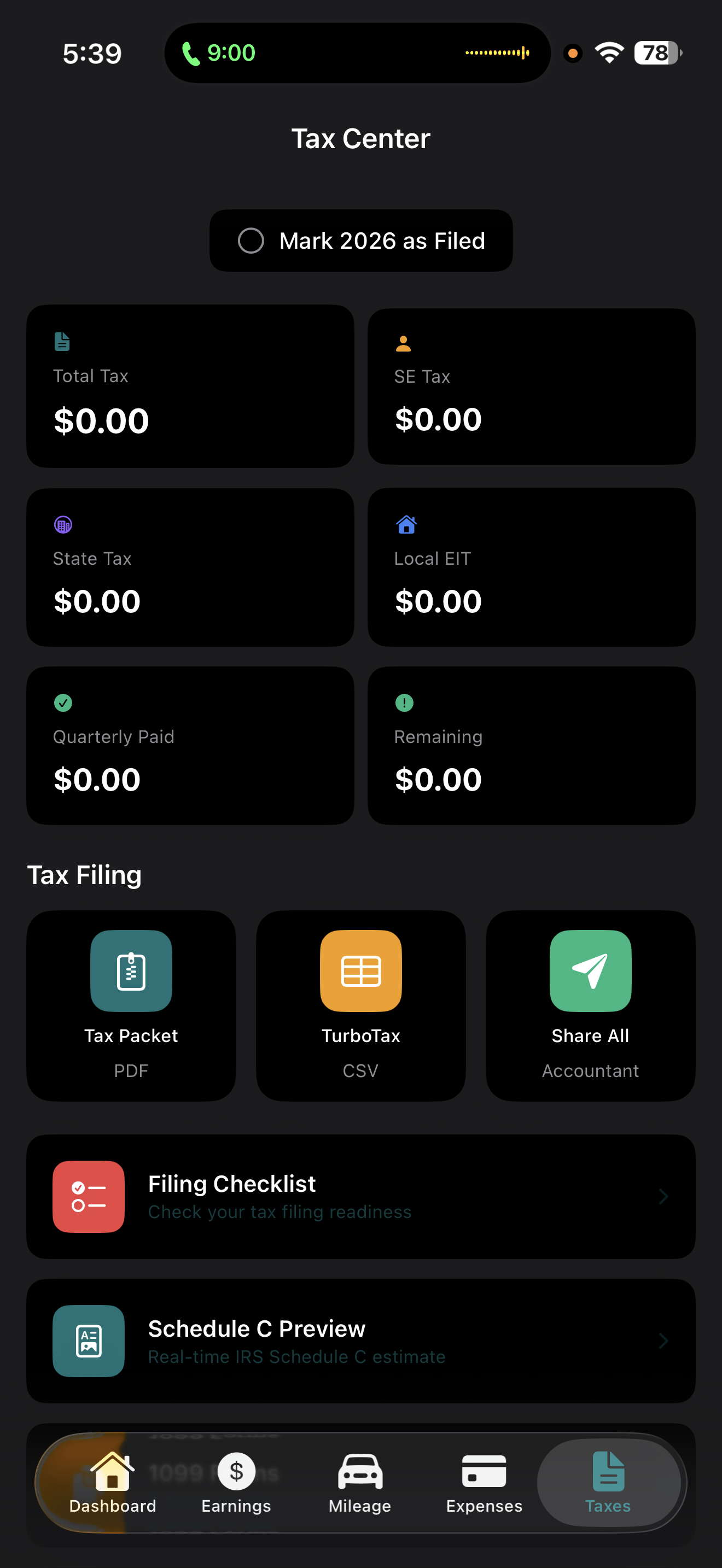
Self-employment, federal, state, and local tax calculated after every dash. Know exactly what to set aside — no April surprises.
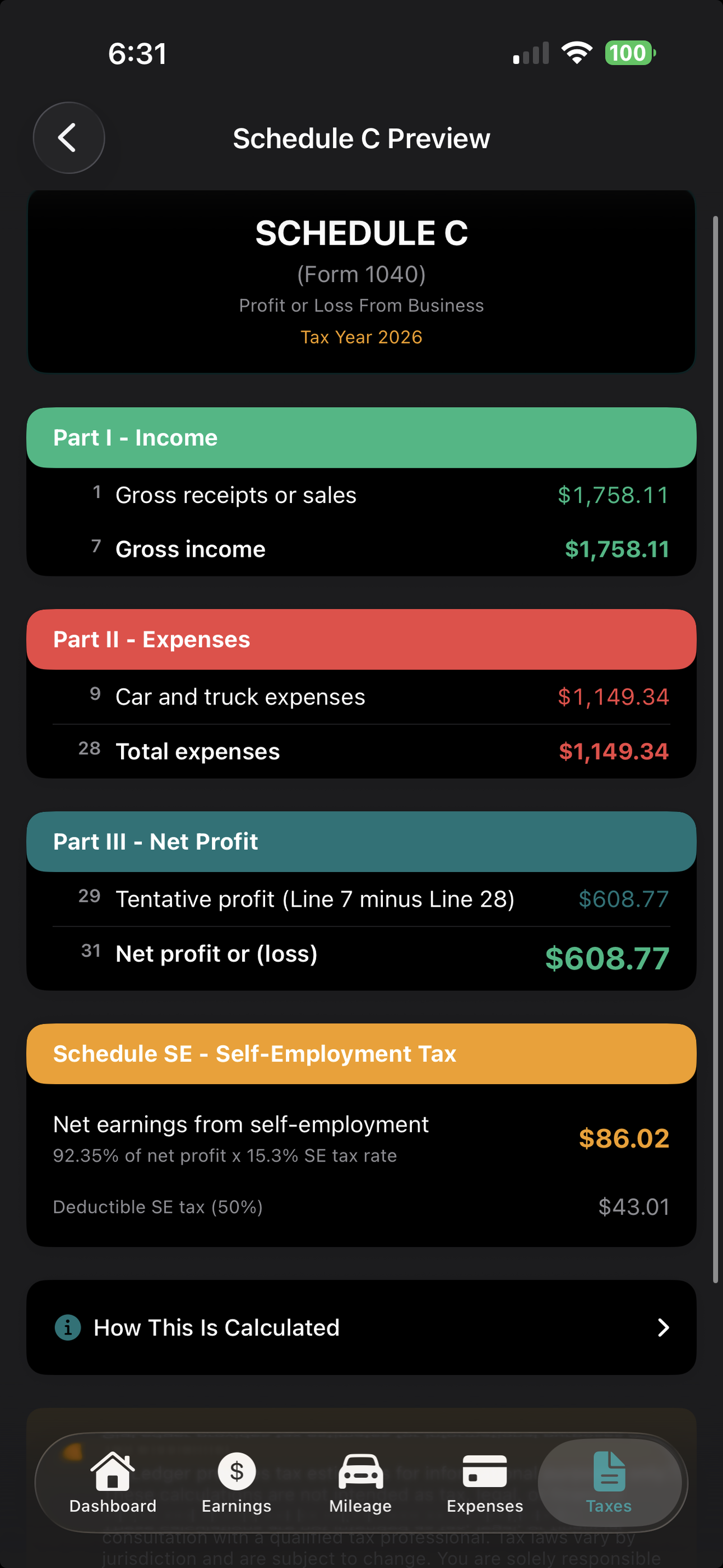
A live Schedule C preview organized by IRS line item, plus a complete accountant-ready packet: mileage log, expenses, 1099s, and quarterly payments. Export as PDF or TurboTax CSV.
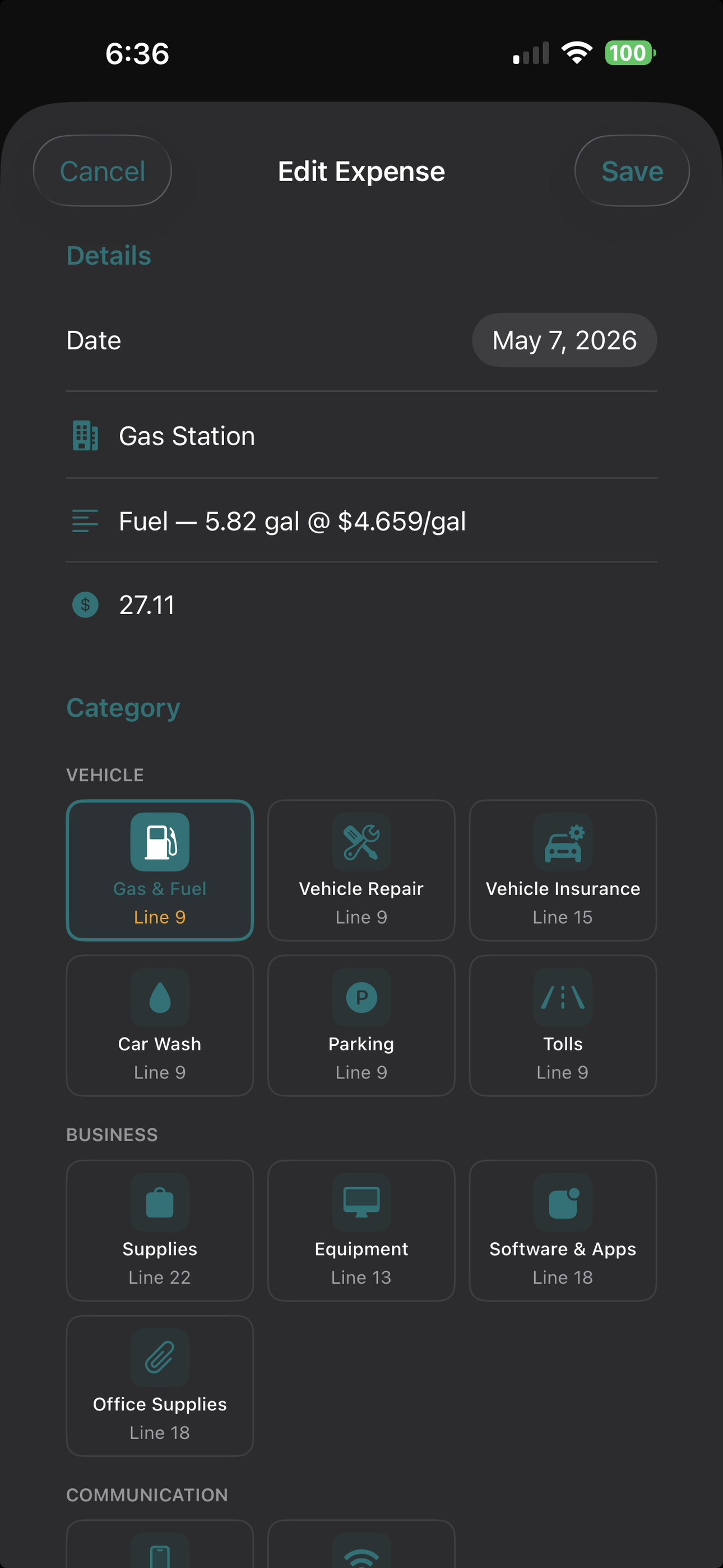
Scan gas receipts to create fuel entries with MPG and cost-per-mile. Log phone bills, insurance, and repairs — or set them up once as recurring expenses.
Live miles, GPS signal strength, delivery count, and daily goal progress on your wrist. Tap “Delivery Done” — or a Done button for each app when you dash two at once — and your phone stays in the mount.
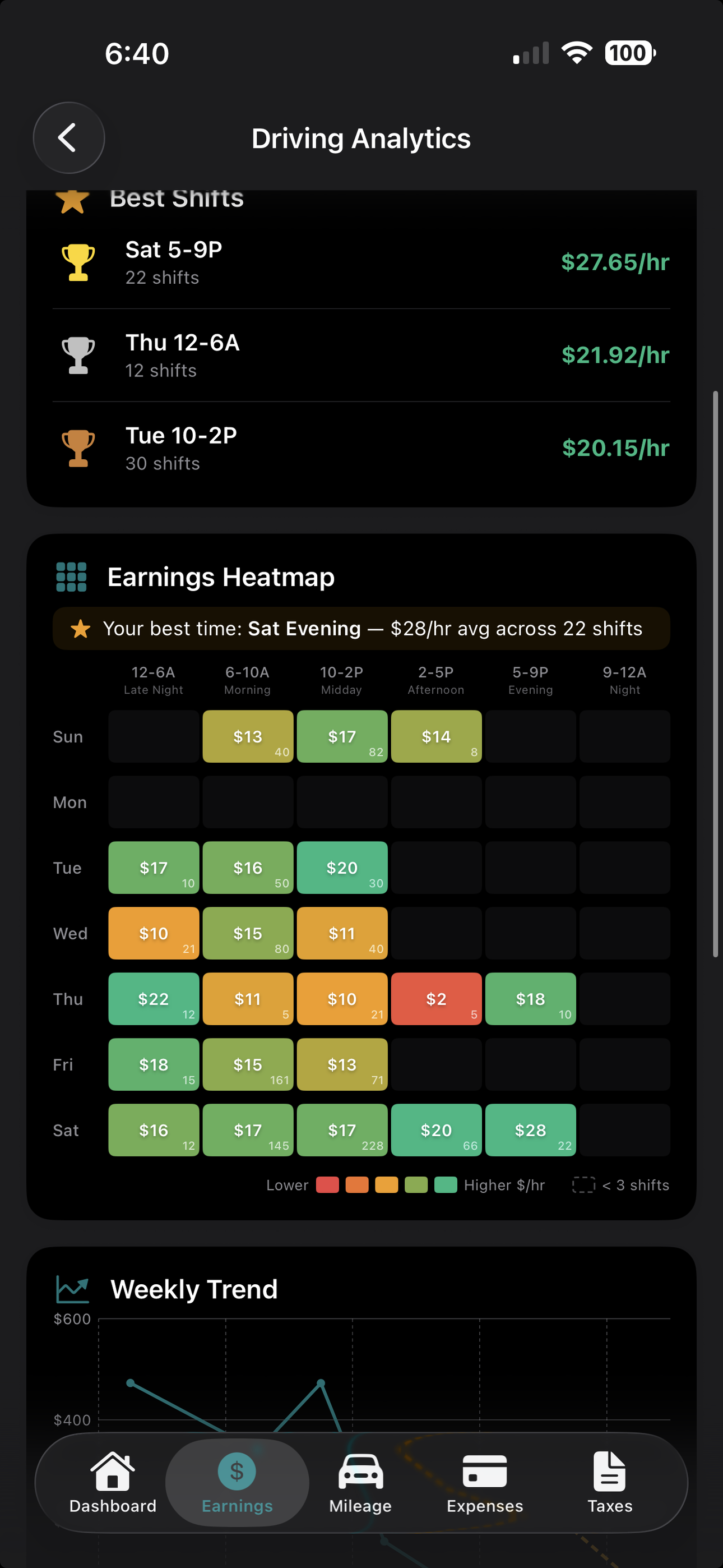
Pick what you want to make this week and how many days you’ll drive. GigLedger tells you what each day needs, re-works it after every dash, and sends a Monday recap of last week’s miles, deduction and $/hour.
Everything stays on your device. No cloud servers, no tracking, no ads, no data selling — just anonymous usage stats you can switch off. Your finances are nobody’s product.
Your dashboard shows total earnings, net profit, mileage deductions, and estimated tax at a glance. Drill into per-delivery breakdowns with avg/hour and avg/delivery stats.
Automatic GPS trip detection while you drive. GigLedger records your route, maps every trip, and calculates deductions at the 2026 IRS rate. GPS jitter filtering eliminates phantom distance, and signal-loss recovery keeps tracking through tunnels and garages.
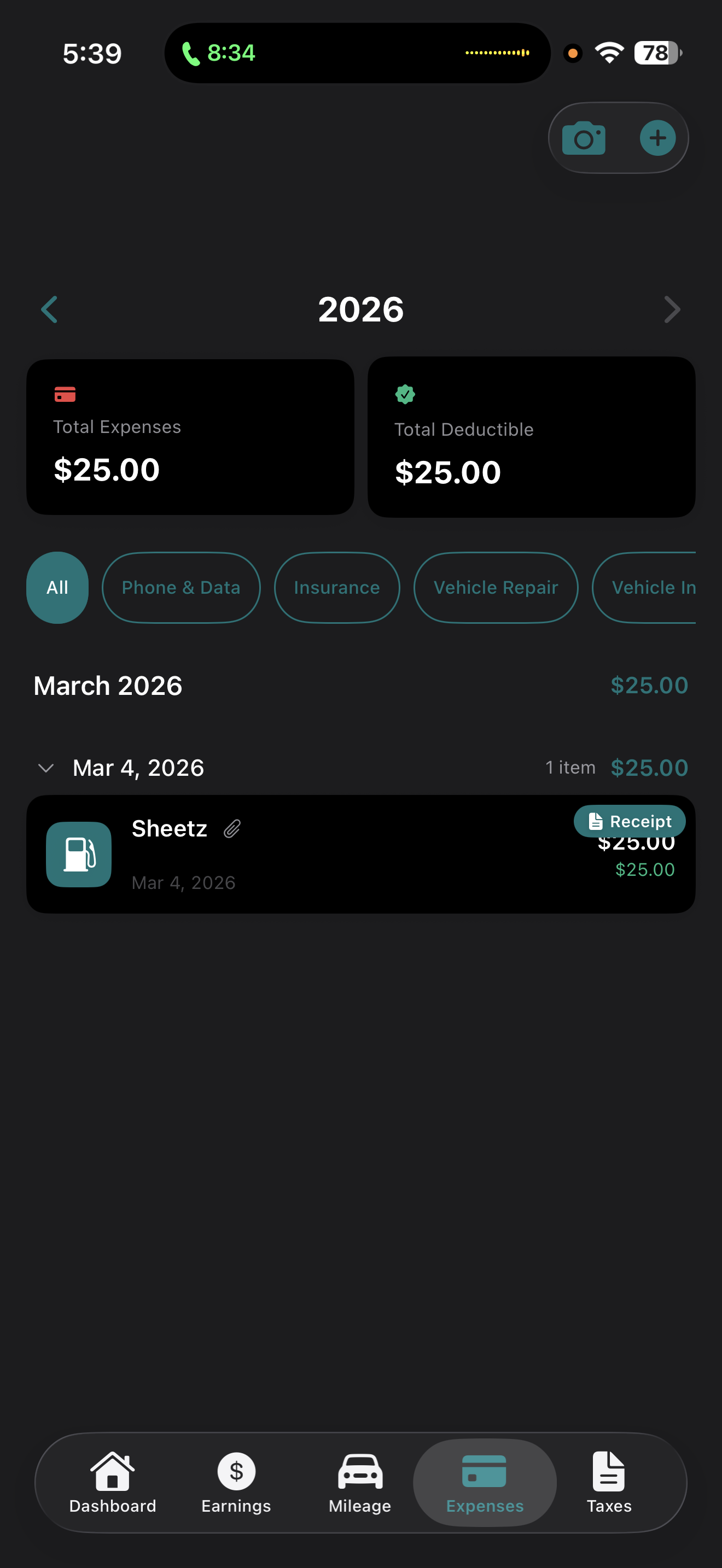
GigLedger estimates your self-employment tax, federal income tax, state tax, and local EIT in real time. Export a Schedule C preview, tax packet PDF, or TurboTax CSV.
Other apps are either too complex or way overpriced. GigLedger does exactly what you need — starting at $8.99/mo with a free 7-day trial.
QuickBooks charges $15+/month. GigLedger is just $8.99/mo with GPS jitter filtering, commute auto-splitting, fuel tracking, and an Apple Watch app that QuickBooks does not have. Try it free for 7 days.
Stride and Everlance sell your data to insurance companies and tax services. GigLedger stores everything locally on your device — plus it auto-splits commute from delivery miles and scans screenshots from 5 gig platforms. Zero data sharing.
MileIQ only tracks mileage, and its unlimited plan is $13.99/mo with server-side processing. GigLedger does on-device GPS filtering, fuel tracking, multi-platform earnings, tax estimates, and Schedule C — all for $8.99/mo with no cloud dependency.
Other apps charge more and do less. GigLedger is purpose-built for gig workers — with everything you need and nothing you do not.
| Feature | GigLedger $8.99/mo |
Everlance $9/mo |
MileIQ $14/mo |
Stride Free* |
Gridwise $10/mo |
|---|---|---|---|---|---|
| Auto Mileage Tracking | ✓ | ✓ | ✓ | ✓ | ✓ |
| GPS Jitter Filtering | ✓ | ✕ | Server-side | ✕ | ✕ |
| Commute/Delivery Auto-Split | ✓ | ✕ | ✕ | ✕ | ✕ |
| Fuel Tracking & MPG | ✓ | ✕ | ✕ | ✕ | Basic |
| Multi-Platform OCR Import | ✓ | ✕ | ✕ | ✕ | ✕ |
| Real-Time Tax Calculations | ✓ | ✕ | ✕ | Basic | Basic |
| Schedule C Preview | ✓ | ✕ | ✕ | ✕ | ✕ |
| Apple Watch App | ✓ | ✕ | ✕ | ✕ | ✕ |
| Privacy (100% On-Device) | ✓ | ✕ | ✕ | ✕ | ✕ |
| Offline Mode | ✓ | Partial | Partial | ✕ | ✕ |
| Receipt & Gas OCR Scanner | ✓ | ✓ | ✕ | Basic | ✕ |
| No Ads / No Data Selling | ✓ | ✕ | ✓ | ✕ | ✕ |
* Stride is free but monetizes by selling insurance leads and tax service referrals using your data.
Everything gig workers need to know.
Everything you need to know about taxes, mileage, and deductions as an independent contractor.
Most readEvery deduction DoorDash drivers can claim — mileage, phone, car expenses, hot bags, health insurance, and more. With real examples.
See every deduction →How to export your log from each app, what to check before you import, and why a mid-year switch doesn’t have to cost you a single deductible mile.
Announcement 2026-11 splits 2026 into two rate periods. What changed July 1, what it’s worth, and how to keep your log audit-ready.
What miles count, IRS log requirements, standard vs. actual expenses, and how GPS auto-tracking works. Save roughly $280 per 1,000 miles.
How the 15.3% SE tax works, quarterly payments, Schedule C explained, and real examples of how much gig workers actually owe.
Check out our other apps built with the same focus on privacy, quality, and real utility.
Find legal, free camping on public land — federal legality data, water/dump/propane/gym finder, and verified-stay reviews. No fake five-stars.
Speak your thoughts, see your patterns. On-device voice journaling with mood insights, weekly charts, and Apple Watch support.
Scan or import any contract and get instant risk scoring, clause-by-clause analysis, and plain-English explanations. 100% on-device.
AI-powered trip planning with group chat, budget tracking, event booking, currency converter, and Apple Watch companion.
A Tamagotchi for whatever you're quitting — alcohol, nicotine, cannabis, sugar, or your own goal. Your pup grows the longer you stick with it.
Discreet HSV-1 outbreak tracker with stage detection, trigger insights, and treatment reminders. 100% on-device, iPhone-only.
GigLedger is available now on the App Store. Track your earnings, mileage, and deductions — start saving on taxes today.
Free 7-day trial — iPhone, iPad, and Apple Watch
Same core features as iOS — earnings tracking, GPS mileage, receipt scanning, tax estimates, Schedule C preview. Free 7-day trial. (Siri, Lock Screen widgets and iCloud sync are iPhone-only for now.)
Questions or feedback? Email gigledger.help@gmail.com